
 Français
 Deutsch
 Español
 Italiano
 Parts & Accessories by Drone
 Drones
 Action camera
 Microphones
 Camera Stabilizers
 VR Headsets
DJI Osmo Nano vs Insta360 GO Ultra: which mini camera to choose?
Oct
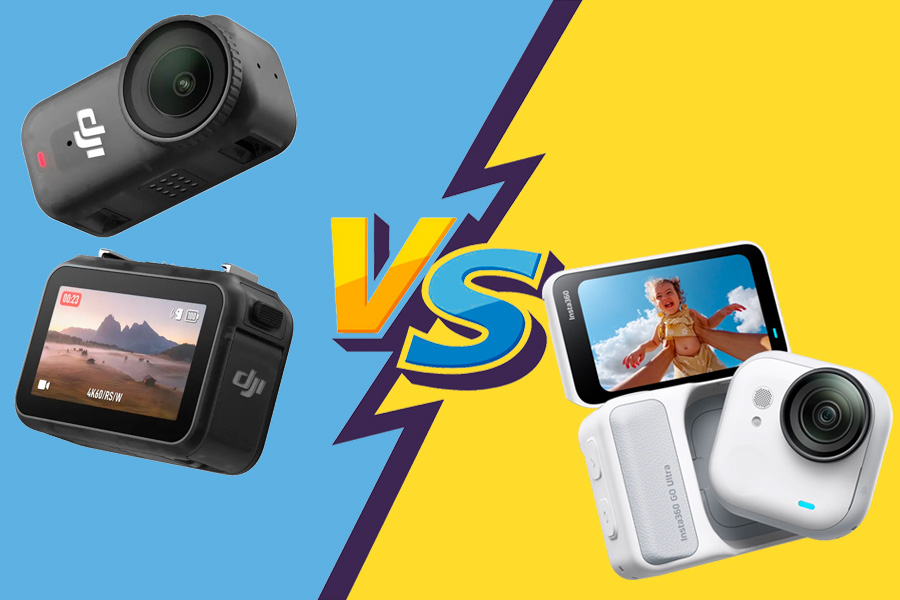
In recent years, modular mini-cameras have found their way into the bags of content creators, with Insta360 leading the way with its GO range. But in September 2025, DJI enters the game with the Osmo Nano, a lightweight, magnetic camera designed for those who want to shoot differently. For its part, the GO Ultra, released a month earlier, fine-tunes the Insta360 formula with a new design and welcome new features. In short, DJI Osmo Nano vs Insta360 GO Ultra, the match is on. What’s the difference between the two? Which one produces the best images? And above all, which one is best suited to your needs? Between design, image quality, price, modularity and everyday use, we review everything to help you make the right choice.
DJI Osmo Nano vs Insta360 GO Ultra: What you need to know
No time to read it all? Here are the key points to remember from this DJI Osmo Nano vs Insta360 GO Ultra comparison:
- 🎨 Design: the GO Ultra stands out for its 2.5-inch fold-out screen, which is larger and more practical than that of the Osmo Nano (1.96″), particularly for easy framing and navigation
- 💦 Waterproofing: both cameras are waterproof to 10 m, but their docking stations are simply splashproof(IPX4)
- 🔋 Autonomy: slightly better autonomy for the Osmo Nano camera alone, but faster recharging on the GO Ultra side
- 📸 Image: more flattering rendering in automatic mode and better low-light management for the GO Ultra; 10-bit D-Log M profile on the DJI for more professional rendering and easy harmonization with other DJI cameras
- 📷 Photo and video modes: the GO Ultra offers more creative modes (Starlapse, Child Titan, HDR, etc.), while the DJI concentrates on essential modes
- 📱 Mobile app: Insta360 focuses on fun effects, AI-assisted editing and integrated tutorials, DJI offers a simpler, more straightforward app to get to the point
- 🎙️ Audio: correct sound on both models, with smoother integration of DJI microphones (Mic Mini, Mic 2, Mic 3) on the Osmo Nano
- 💰 Price: more affordable Osmo Nano (€279 with 64GB, €309 with 128GB) vs. €309 for GO Ultra alone, €429 with docking station
📌 Two very different approaches: the GO Ultra focuses on creativity and versatility, while the DJI Osmo Nano favors a more professional workflow, good value for money and advanced integration into the DJI ecosystem.
DJI Osmo Nano vs Insta360 GO Ultra : Design

| DJI Osmo Nano | Insta360 GO Ultra | |
| Dimensions (L x W x H) | Camera: 57.3 × 29.5 × 28 mm Vision Dock: 59.1 × 42.2 × 22.3 mm | Camera: 46 x 45.7 x 18.3 mm Action Pod (closed screen): 70.4 x 48.8 x 33.3 mm Action Pod (open screen): 70.4 x 91.2 x 33.6 mm |
| Weight | Camera: 52 g Vision Dock: 72 g | Camera: 52.9 g Action Pod: 108.5 g |
| Touch screen | 1.96 inches (800 nits) | 2.5 inch |
| Storage | microSD card (up to 1TB) 64 or 128 GB internal storage (depending on version) | microSD card up to 2TB |
| Operating temperature | -20 to 45 °C | -20 °C to 40 °C |
| Waterproofing | Camera: up to 10 m Vision Dock: splashproof (IPX4) | Camera: 10 meters Action Pod: splash-proof |
Format, weight and modularity
Both models adopt a modular system, with an ultra-compact main camera that attaches to a secondary module acting as a docking station. DJI calls this module the Vision Dock, while Insta360 calls it the Action Pod. In both cases, this block serves as a touch screen, an external battery and a remote control with wireless video feedback.
Once assembled, two different approaches: the GO Ultra adopts a classic horizontal format, close to that of a GoPro or Osmo Action, while the Osmo Nano relies on a vertical design, with the camera magnetized over the module. In terms of weight, the camera modules alone are similar (52 g for the DJI, 52.9 g for the GO Ultra), but the complete package is lighter for DJI: 124 g versus 161 g for the Insta360, with its Action Pod.
For mounting, both cameras use a quick-release magnetic system. The advantage goes to DJI, whose system is compatible with other products from the brand, such as the Osmo Action 5 Pro. On the other hand, the GO Ultra’s attachment is exclusive to this model: it works neither with older GOs, nor with other Insta360 cameras.
Screen, video feedback and user comfort
The GO Ultra’s screen is a real asset. It’s larger, touch-sensitive, adjustable and, above all, much more practical for framing shots or adjusting the camera in action. You can adjust the angle of view according to your position, which is not possible with the Osmo Nano, whose screen is smaller and fixed.
Another clever advantage: the GO Ultra’s screen can also be used as a makeshift tripod. Simply open it all the way, place the camera on a flat surface and get a fixed shot without accessories.
Finally, the Insta360 GO Ultra lets you view photos and videos directly without having to reclip the camera. On the Osmo Nano, you need to reinstall it on the module to access files.
Durability, storage and convenience
The camera modules of both models are waterproof up to 10 m, perfect for filming without a housing when hiking or at the beach. The secondary modules are simply splashproof (IPX4).
Another good point: the lenses are removable on both models. In the event of a scratch or impact, there’s no need to change the whole camera.
For storage:
– DJI Osmo Nano: 64 or 128 GB internal memory + microSD up to 1 TB
– Insta360 GO Ultra: microSD card only, up to 2 TB
DJI has the advantage of offering built-in memory that can be used immediately, whereas Insta360 requires the addition of a card. On the other hand, the GO Ultra can accept a larger capacity.
🏆 DJI Osmo Nano: lighter overall weight, with built-in ready-to-use memory.
🏆 Insta360 GO Ultra: larger, steerable screen, and direct access to files without reconnecting the camera.
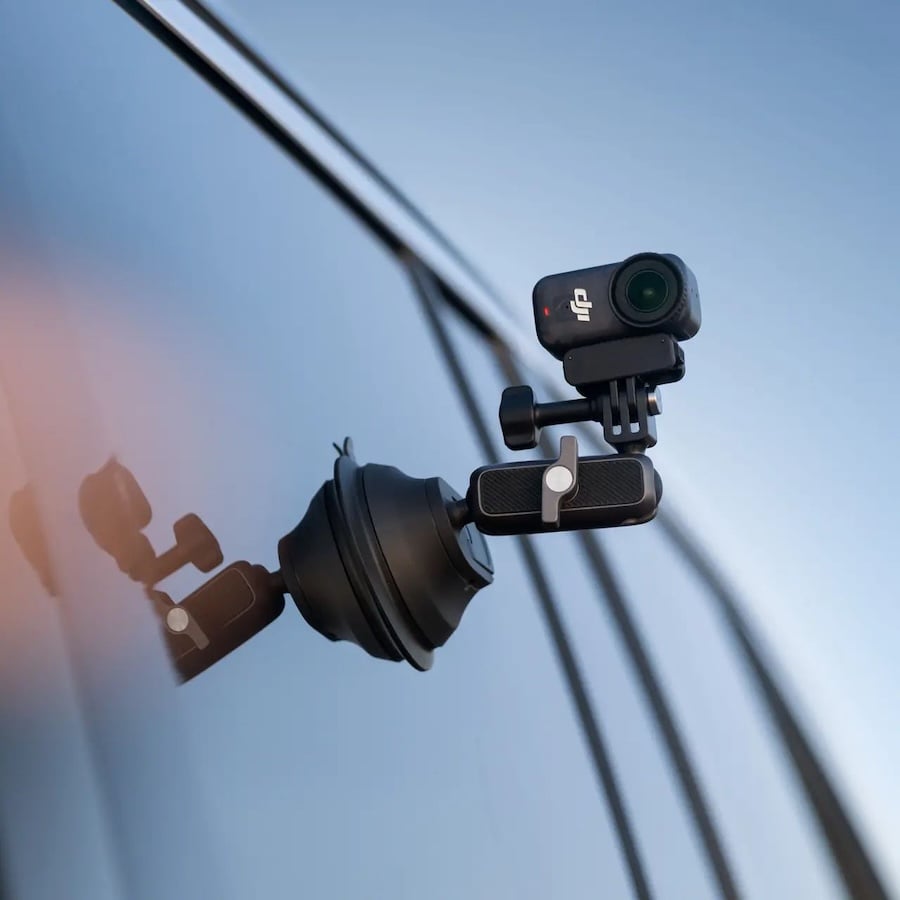
Discover our accessories for
DJI Osmo Nano
DJI Osmo Nano vs Insta360 GO Ultra: Autonomy and overheating
| DJI Osmo Nano | Insta360 GO Ultra | |
| Battery | Camera: 530 mAh Vision Dock: 1300 mAh | Camera: 500 mAh Action Pod: 1450 mAh |
| Autonomy | Camera: 90 min Camera + Vision Dock: 200 min | Camera: 70 min Camera + Action Pod: 200 min |
| Charging time | Camera: 80% in 20 min | Camera: 80% in 12 min, 100% in 20 min Action Pod: 80% in 18 min, 100% in 4 min |
Autonomy and recharging
On paper, the two cameras boast equivalent autonomies when connected to their docking stations: around 200 minutes of continuous capture. On its own, the DJI Osmo Nano promises up to 90 minutes, compared with 70 minutes for the GO Ultra. In real-life conditions, these figures may be slightly lower, depending on the settings used, but the overall difference between the two models remains the same.
On the other hand, the Insta360 GO Ultra has the edge when it comes to recharging, which is considerably faster: 80% battery in 12 minutes, compared with 20 minutes for the DJI. Pod recharging time is also to the Insta360’s advantage, making it ideal for multiple sessions in a single day.
Overheating and thermal endurance
Temperature-wise, neither camera in this DJI Osmo Nano vs Insta360 GO Ultra duel seems to be prone to premature overheating. According to several user feedbacks, stoppages during recording are generally due to a flat battery rather than overheating.
Even with prolonged use, both models keep up well, provided you avoid extreme conditions (direct sunlight, extreme heat, etc.).
🏆 DJI Osmo Nano: slightly longer autonomy.
🏆 Insta360 GO Ultra: faster recharging.
OUR BEST SELLERS - DJI Osmo Nano


Action camera

Action camera
DJI Osmo Nano vs Insta360 GO Ultra : Image
| DJI Osmo Nano | Insta360 GO Ultra | |
| Sensor | 1/1.3 inch | 1/1.28 inch |
| Objective | F/2.8 aperture, 143° FOV | Aperture f/2.85, Equivalent 14.27 mm, FOV 156°. |
| Max. photo resolution | 35 MP | 50 MP |
| Max. video resolution | 4K up to 120 fps 2.7K up to 120 fps 1080p up to 240 fps | 4K up to 60 fps 2.7K up to 120 fps 1080p up to 240 fps |
| Photo format | JPEG/RAW | JPG, DNG |
| Video format | MP4 (HEVC) | MP4 |
| Color profiles | Normal (8 or 10 bits), D-Log M (10 bits) | Standard, Glow, Selfie, Vivid, Film, Vintage, Urban, Night |
| Maximum video bit rate | 120 Mbps | 180 Mbps |
| ISO range | 100 à 25600 | 100 à 6400 |
Sensors and resolutions
On paper, the two cameras are very similar. The DJI Osmo Nano has a 1/1.3-inch sensor, compared with 1/1.28-inch for the Insta360 GO Ultra: a negligible difference. On the other hand, the GO Ultra’s lens offers a wider field of view (up to 156° vs. 143°), which can be a real plus for capturing dynamic scenes or giving an immersive effect.
In terms of definition, both models shoot up to 4K at 60 frames per second, which is the current standard for sharp, fluid footage. In slow-motion mode, the DJI Osmo Nano can shoot at up to 120 frames per second, again in 4K. But beware: this option is not stabilized, which limits its usefulness for moving shots. The Insta360 GO Ultra also offers 120 fps, but only in 2.7K. The image is then stabilized, with slight cropping to compensate for movement.
For more advanced slow-motion shots, both cameras offer up to 240 fps in Full HD (1080p). An ideal option for capturing fast-moving scenes with optimum visual fluidity.
Finally, the GO Ultra benefits from a higher video bitrate, with a maximum of 180 Mbps compared with 120 Mbps for the DJI. In theory, this higher bitrate means that textures and fast-moving images retain greater detail, even if in practice the difference remains fairly discreet in the final renderings.
Image quality
Overall, the two cameras deliver very similar results. Stabilization is excellent in both cases, with a fluid image even in motion, and colors are faithful and natural, without oversaturation. Whichever model you choose, you get sharp, well-balanced images that are pleasing to the eye.
When comparing images in good light, a few differences emerge. The Osmo Nano tends to produce slightly darker images, while the GO Ultra exposes a little more to lighten the scene, especially in bright areas. Faces are well rendered in both cases, but the Insta360 offers
By default, the GO Ultra offers a slightly higher dynamic range and more flattering rendering, without the need for manual intervention. But the DJI Osmo Nano has an advantage of its own: it offers a
In low light, both cameras offer a dedicated mode: SuperNight for DJI, PureVideo for Insta360. Neither really stands out in this area (models like the DJI Osmo Action 5 Pro or the Insta360 Ace Pro 2 do better), but the GO Ultra holds the advantage. Images are better exposed, with less digital noise, richer colors and a little more detail in dark areas. For filming indoors or at dusk, it offers a cleaner, more usable rendering.
🏆 DJI Osmo Nano: 10-bit D-Log M for those who want to retouch.
🏆 Insta360 GO Ultra: flatter image by default, best in low light.

Discover our accessories for
Insta360 GO Ultra
DJI Osmo Nano vs Insta360 GO Ultra : Features
| DJI Osmo Nano | Insta360 GO Ultra | |
| Stabilization | RockSteady 3.0, HorizonBalancing | FlowState, 360° horizon lock |
| Photo modes | Standard photo, Self-timer, Burst | Standard photo, HDR photo, Live photo, Interval photo, Starlapse, Burst |
| Video modes | Standard video, Slow motion, Hyperlapse, Timelapse, Pre-recording, Loop recording, SuperNight | Standard video, PureVideo, FreeFrame video, Titan child, TimeShift, Timelapse, Slow motion, Loop recording, Pre-recording, Interval video, Program recording |
Modes and remote use
When switched on, both cameras offer a pleasant but quite different user experience. The Insta360 GO Ultra stands out for its intuitive, colorful interface, accompanied by visual tutorials that guide beginners from the very first minutes: how to trigger a shot, change modes, or navigate menus. The more streamlined DJI Osmo Nano gets straight to the point without tutorials. It’s the right choice for those who want a minimalist interface or who are already familiar with DJI products.
In terms of modes, both models offer the essentials, with common options such as standard video, slow motion, timelapse, hyperlapse, pre-recording and loop recording. But the Insta360 GO Ultra has the edge with a richer and sometimes more creative range of modes. These include FreeFrame, which lets you shoot first and then choose the orientation (vertical, horizontal, etc.) afterwards, and Child Titan, a mode designed to easily capture children’s faces in action. It also features advanced settings such as time-lapse video andprogrammed recording. The DJI Osmo Nano, on the other hand, is more classic but reliable, with fewer frills. Note that each offers a dedicated night mode: PureVideo on the GO Ultra, SuperNight on the Nano, both already mentioned in our previous section.
Remote control is well supported on both cameras, via voice commands and simple gestures such as a thumbs-up. But the DJI Osmo Nano takes interaction a step further with a few neat tricks: a double tap on the camera can start recording, as can a nod of the head when worn on the head. Details that can really make a difference for hands-free vlogging or spontaneous shooting.
Audio quality
Under normal conditions, both cameras record clear, crisp sound, whether spoken indoors or outdoors without too much wind. Wind noise can be attenuated on both models, but at the cost of a slight crushing of ambient sounds at the highest settings. The Insta360 GO Ultra does a slightly better job of limiting distracting noises such as cars or wind.
That said, as is often the case with such compact cameras, built-in microphones have their limits. For more serious audio quality, it’s best to use an external microphone. In this respect, the GO Ultra is compatible with several wireless accessories, including Bluetooth headphones such as the AirPods 3, DJI Mic Mini or Mic 2 microphones, as well as the Insta360 Mic Air, the brand’s official wireless microphone.
The DJI Osmo Nano also scores points, with direct compatibility with two DJI Mic transmitters, without the need for a receiver. It works equally well with DJI Mic 2, DJI Mic 3 and the more compact DJI Mic Mini, which is a real plus for creators already in the DJI ecosystem.
Mobile application
Both cameras can be used with a free app available on Android and iOS: DJI Mimo for the Nano, Insta360 for the GO Ultra. They allow you to control the camera live, transfer files and edit videos directly on your smartphone. Insta360 focuses onfun and immediate editing, while DJI favors precision and control.
TheInsta360 application is a model of fun, ultra-accessible approach, clearly designed for social networks. The interface is colorful and intuitive, with an
For its part, the DJI Mimo application offers a more sober interface, with menus geared towards professional use. It also incorporates an intelligent editing tool, but it’s the fine-tuning that really sets it apart: color corrections (notably in D-Log M), cropping, manual filters… A more rigorous and technical environment, which will appeal to creators wishing to keep a hand on the whole process.
🏆 Insta360 GO Ultra: a few more creative modes and a few more video options.
DJI Osmo Nano vs Insta360 GO Ultra : Packs and prices

ℹ️ Note: some links in this section are Amazon affiliate links. As Amazon Associates, we earn from qualifying purchases, at no extra cost to you.
| DJI Osmo Nano | Insta360 GO Ultra | |
| Standard package | 279 (64 GB) / €309 (128 GB) | 429 € |
| Theme packs | From €308.99 to €418.98 | From €449 to €576 |
And price-wise, who has the edge in this DJI Osmo Nano vs Insta360 GO Ultra duel? 🤔
With a base price set at €279 for the 64 GB version (or €309 for 128 GB), the DJI Osmo Nano is clearly more affordable than the Insta360 GO Ultra, priced at €429 without any built-in storage. As a bonus, the memory is directly included on the DJI, so there’s no need to invest in a microSD card from the outset.
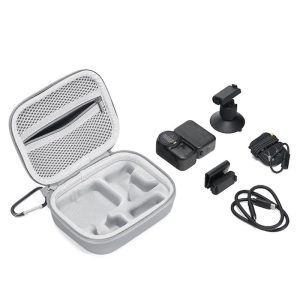
In terms of contents, the two standard packs include the essentials: docking station, magnetic mounts and safety cords. DJI adds a little extra, however, with a carrying case and an articulated bracket for varying mounting angles.
To take things a step further, the two brands offer a wide range of themed packs. DJI offers its camera in 6 different bundles, according to use (running, vlog, cycling, etc.), with prices ranging from €308.99 to €418.98. Insta360 also offers 6 bundles, with prices ranging from €449 to €576, depending on the accessories included (microphone, tripod, bike mount, etc.).
🏆 DJI Osmo Nano: clearly more affordable, with built-in memory from the outset.
OUR BEST SELLERS - INSTA360 GO Ultra


Action camera


Action camera


Conclusion DJI Osmo Nano vs Insta360 GO Ultra : Which one to choose?
There’s no wrong choice here: both cameras are powerful, easy to use, and will deliver excellent results. Whatever you choose, you’ll be satisfied. The real decision criterion in this DJI Osmo Nano vs Insta360 GO Ultra duel depends above all on how you film and your priorities for use.
The DJI Osmo Nano will suit those who prefer a more sober, serious and affordable approach. It offers a 10-bit D-Log M profile for those who like to retouch their images, slightly longer battery life, integrated storage, and good integration into the DJI ecosystem (microphones, other cameras, drones). All at a much moreaffordable price than its rival.
The Insta360 GO Ultra, on the other hand, is aimed more at users seeking a more playful and intuitive experience. Its fold-down screen, flattering automatic settings, low-light performance and AI-rich mobile app make it a highly versatile camera, particularly suited to content creators and social networking enthusiasts.
💡 Choose the DJI Osmo Nano if :
- you like to edit your videos and are looking for flexible colorimetry.
- you already own other DJI products.
- you want a more serious mini camera at a more affordable price.
💡 Choose the Insta360 GO Ultra if :
- you prefer a flattering image on automatic.
- you often shoot in low light.
- you’re looking for a camera that’s intuitive, fun and designed for social networking.
💡 Read our full tests of the two protagonists in this DJI Osmo Nano vs Insta360 GO Ultra duel:
➡️ Our review of the DJI Osmo Nano
➡️ Our test of the GO Ultra
💡 Also read:
➡️ If you enjoy Insta360’s compact action cameras, be sure to check out our Insta360 GO 3S 4K review.

 Blog
Blog