
 Français
 Deutsch
 Español
 Italiano
 Parts & Accessories by Drone
 Drones
 Action camera
 Microphones
 Camera Stabilizers
 VR Headsets
Insta360 Flow 2 Pro vs Flow Pro: what’s the difference?

Mar
After the Flow, then the Flow Pro, Insta360 continues to expand its range of smartphone stabilizers with a brand-new model: the Flow 2 Pro. But compared to the Flow Pro launched last year, what does this new version really offer? Is it a simple refinement or a real leap forward? And, above all, which one should you choose if you’re on the fence between the two? Insta360 Flow 2 Pro vs Flow Pro: we take a look at the real differences.
Insta360 Flow 2 Pro vs Flow Pro: Design and ergonomics

| Features | Flow 2 Pro | Flow Pro |
|---|---|---|
| Dimensions (folded) | 97.9 × 178.4 × 36.7 mm | 162.1 × 79.6 × 36 mm |
| Dimensions (unfolded) | 121.1 × 282.1 × 54 mm | 269.4 × 73.6 × 69.9 mm |
| Weight | 357 g (+ 25 g magnetic clamp) | 366 g (+ 32 g magnetic clamp) |
| Selfie pole | 210 mm | 215 mm |
| Integrated tripod | Yes, stronger and more stable | Yes (old model) |
| Handle | Integrated textured handle | Removable silicone coating |
| Selfie mirror | ✅ Rear wide-angle mirror | ❌ |
Both models remain very compact and foldable, but the Flow 2 Pro gains in practicality thanks to several welcome adjustments. Its reworked handle with integrated textured coating offers a more comfortable and secure grip. The integrated tripod, now reinforced, guarantees greater stability on different types of surface, even outdoors. The opening mechanism has also been improved, with a smoother hinge that reduces the risk of error during use.
The selfie pole remains similar on both models, with a length of around 21 cm, sufficient to widen shots without making the stabilizer cumbersome. Combined with the Flow 2 Pro’s new free-tilt mode, it opens the way to more varied and creative angles of view, especially for low-angle vlogs or shots taken at height. Finally, the wide-angle mirror integrated into the back of the arm makes it easier to frame yourself when using the smartphone’s rear cameras, without having to guess its positioning.
📌 To remember: the Flow 2 Pro is more ergonomic, more compact when folded, and adopts a reinforced tripod. Its redesigned handle improves grip, and the selfie mirror is a real plus for rear framing.
Insta360 Flow 2 Pro vs Flow Pro: Controls and interface

Both models retain the SmartWheel interface, a circular control pad that combines joystick, zoom wheel, indicator lights and tactile surface. But on the Flow 2 Pro, the whole has been clearly reworked for greater comfort and precision.
First and foremost, the joystick is larger and more responsive, making manual control of gondola movements much easier, especially for panning and tilting. The zoom wheel has also been improved: it’s smoother, with better-measured resistance, enabling more gradual adjustments. In practice, it is still sometimes difficult to manipulate it with just the thumb of the hand holding the stabilizer, but it gains in precision when used with both hands.
The indicator lights for the various modes (Auto, Follow, Pan Follow, FPV) are no longer aligned as on the Flow Pro: they are now placed in a circle, making them easier to read at a glance, even while filming. Haptic feedback from the touch wheel confirms each mode change, making transitions more intuitive.
The multi-function trigger on the rear is also present, allowing you to lock the axes, recenter the camera or rotate it in selfie mode with a few simple presses. This system remains unchanged, but the Flow 2 Pro’s overall ergonomics make it even smoother to use.
In short, Insta360 has retained the SmartWheel’s minimalist, intuitive approach, while improving it where it counts: the Flow 2 Pro becomes more pleasant to handle, more precise, and better suited to rapid use in the field.
📌 Worth noting: welcome ergonomic adjustments on the Flow 2 Pro, making controls more precise and intuitive.

Discover our accessories for
Insta360 Flow Pro
Insta360 Flow 2 Pro vs Flow Pro: Features and tracking
| Features | Flow 2 Pro | Flow Pro |
| Deep Track | 4.0 (faster, more precise) | 3.0 |
| Multi-topic monitoring | ✅ | ❌ |
| Active zoom tracking | ✅ (intelligent zoom up to 15x) | ❌ |
| Pro framing grid | ✅ (9 composition zones) | ❌ |
| Free tilt mode | ✅ (new fluid vertical movement) | ❌ |
| Infinite 360° panoramic tracking | ✅ | ✅ |
| 360° panorama sequence | ✅ | ❌ |
With key new features such as multi-subject tracking, pro framing grid and free-tilt mode, Flow 2 Pro proves far more suitable for solo or on-the-move filming. Deep Track 4.0 ensures smoother, more reliable tracking, even when moving fast or when several people are in the frame – ideal for filming sports scenes, multi-person vlogs or children on the move.
The free-tilt mode, meanwhile, offers unprecedented freedom of framing: no need to reorient the entire stabilizer to film low or high angle, a simple movement of the arm is all that’s required. This is a real plus for varying angles without breaking the shooting rhythm.
Finally, the professional framing grid allows you to compose your shots more creatively by deliberately positioning the subject off-center. The result: videos that are more dynamic, more natural, and often far more visually engaging.
📌 To remember: Flow 2 Pro retains the solid foundations of Flow Pro, but introduces significant improvements in tracking with Deep Track 4.0, active zoom, group tracking and greater flexibility of movement thanks to the free tilt mode.
Insta360 Flow 2 Pro vs Flow Pro: Compatibility and user experience
| Compatibility / Pairing | Flow 2 Pro | Flow Pro |
| Apple DockKit | ✅ | ✅ |
| NFC pairing | ✅ iPhone & Android | ✅ iPhone only |
| Tracking in all apps (Android) | ✅ via AI tracker | ❌ via Insta360 app only |
| Teleprompter | ✅ | ❌ |
| Remote control via Apple Watch | ✅ | ✅ |
In terms of compatibility and user experience, the iPhone stays one step ahead, thanks in particular to the native integration ofApple DockKitintegration, which enables automatic tracking in over 200 third-party applications. But Flow 2 Pro cleverly compensates for this Android imbalance with the AI tracker sold separately, which unlocks universal tracking in any application.
For solo content creators, tools like the built-in teleprompter or remote control via a second smartphone or Apple Watch make shooting even simpler and more autonomous. Whether you’re recording a face-to-face interview or filming a fixed-shot tutorial, we’ve thought of everything to make the experience as fluid as possible, without having to multiply the number of accessories.
📌 Worth remembering: on the iPhone, both models offer excellent compatibility. For Android, Flow 2 Pro becomes much more interesting thanks to extended compatibility via the AI tracker (sold separately).
Insta360 Flow 2 Pro vs Flow Pro : Price

ℹ️ Note: some links in this section are Amazon affiliate links. As Amazon Associates, we earn from qualifying purchases, at no extra cost to you.
| Pack / Accessory | Flow 2 Pro | Flow Pro |
| Standard Pack | 169,99 € | 159 € |
| Pro Tripod Pack | ❌ | 198 € |
| AI Tracker Pack | 199.99 (including AI tracker) | ❌ |
| Creator Pack | 199.99 (with Spotlight + MagSafe support) | ❌ |
| Vlog Pack | 213 € (with Spotlight + backpack holder) | ❌ |
| AI tracker (standalone) | 49,99 € | ❌ |
The Flow 2 Pro costs just €10 more than the standard version, but offers a number of notable improvements: a more ergonomic design, redesigned controls, new Deep Track 4.0 tracking system, free tilt, selfie mirror… All little extras which, taken together, more than justify this slight price increase.
In terms of options, Insta360 has focused on modularity for the Flow 2 Pro, with several themed packs adapted to specific uses: mobile filming, scripted content creation, or multi-app use with the AI tracker. In contrast, the Flow Pro offers a single, less comprehensive alternative pack (Tripod Pro).
📌 To remember: For a minimal price difference, the Flow 2 Pro offers morefeatures, a better design, and more advanced options right from the basic packages.
OUR BEST SELLERS - Insta360 Flow Pro
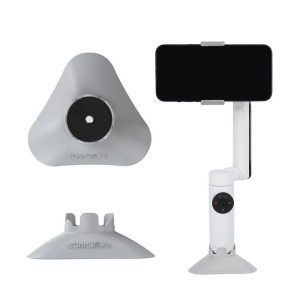


Insta360 Flow Pro
Sticker Film Integral Waterproof Protection for Insta360 Flow Pro Camera Stabilizer


Bags Cases Straps
Conclusion Insta360 Flow 2 Pro vs Flow Pro: Which to choose?
At the end of this comparison, one thing is clear: the Flow 2 Pro doesn’t revolutionize the formula, but it does improve on several key points. Its new design, more intuitive controls and, above all, the integration of features such as free tilt, multi-subject tracking and extended compatibility via the AI tracker make it a more accomplished, more flexible and better thought-out stabilizer for demanding creators. The Flow Pro, on the other hand, remains an excellent solution if your needs are simpler, or if you mainly shoot with an iPhone and the native application.
💡 Choose Flow 2 Pro if…
✔️ You often shoot alone or in a group
✔️ you want smarter, smoother, more precise tracking
✔️ You’re looking for a more ergonomic stabilizer with better thought-out controls
✔️ You’re an Android user and want broader compatibility thanks to the AI tracker
✔️ You want more creative options (active zoom, pro framing, teleprompter…)
⚠️ Stay on the Flow Pro if…
✔️ You’re satisfied with current performance
✔️ You don’t need multi-subject tracking or the new tilt options
✔️ You mainly use an iPhone with DockKit and the native camera app
✔️ You prefer a lighter investment
Find full tests of both drones in this Insta360 Flow 2 Pro vs Flow Pro comparison :
➡️ Insta360 Flow 2 Pro, full review: what’s new?
➡️ Insta360 Flow Pro, full review: what’s new?

 Blog
Blog