
 Français
 Deutsch
 Español
 Italiano
 Parts & Accessories by Drone
 Drones
 Action camera
 Microphones
 Camera Stabilizers
 VR Headsets
DJI Avata 360, full review: fly first, frame later
Apr
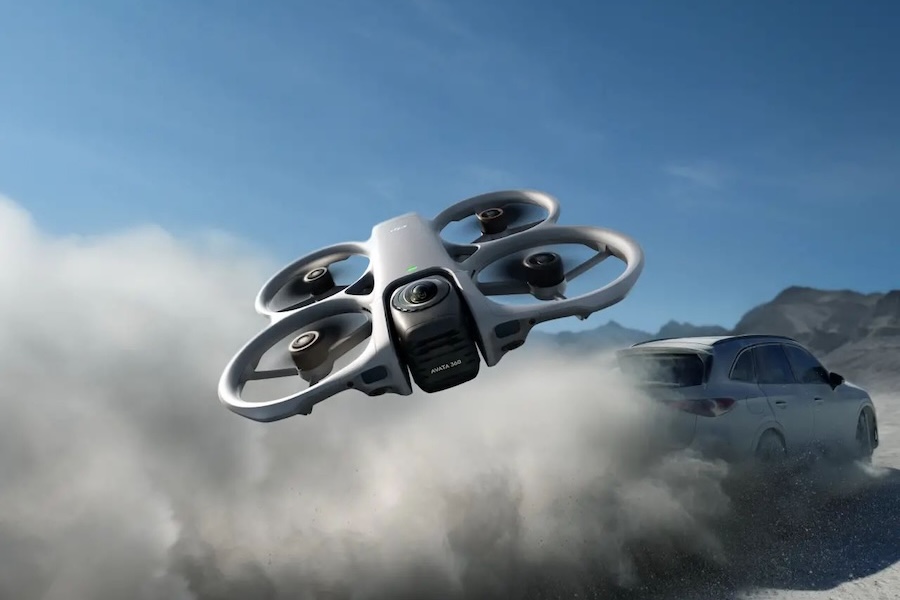
After Antigravity and its A1, the first 360 FPV drone to truly bring this concept to life, DJI is now stepping into the arena with the DJI Avata 360, a hybrid model that can be flown both in a classic way or in full immersion with goggles. The idea? To offer a new way of filming, with 360° footage and total freedom in post-production to reframe your shots however you like. On paper, the promise is appealing… but what is the DJI Avata 360 really worth? Who is it for? And more importantly, is it the right drone for you? All the answers in this article.
DJI Avata 360: Key takeaways
No time (or just can’t be bothered 😅) to read everything? Here are the key points to remember about the DJI Avata 360 👇
- 🛡️ Robust design with integrated propeller guards and easily replaceable lenses
- 🕹️ Two ways to fly: traditional remote controller or immersive FPV mode
- 🎥 Dual capture modes: single lens or 360°, with a completely different shooting approach
- 📡 Reliable DJI O4+ transmission with strong resistance to interference
- 🔊 Quite a noisy drone in flight, with a noticeable high-pitched sound
- 🔋 Up to 23 minutes of flight time (more like 15 to 18 minutes in real conditions)
- 🎬 Highly flexible 360° capture: reframe your shots after the flight
- 📷 Up to 8K 60fps video, 10-bit and D-Log M + RAW photo support
- 📦 Multiple bundles starting at €459, with wide compatibility if you already own DJI gear
📌 A unique drone, designed for those who want to film differently, with unmatched creative freedom.
DJI Avata 360: Design
| Weight | 455 g |
| Dimensions (L x W x H) | 246 × 199 × 55.5 mm |
| Storage | 42 GB internal memory microSD card up to 1TB |
| Class (EU) | C1 |
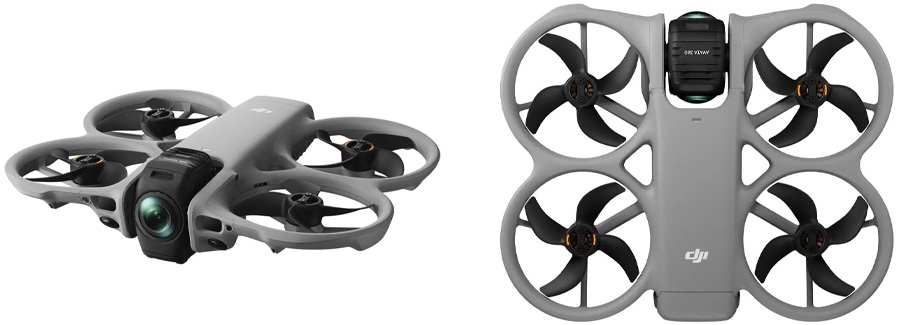
With the Avata 360, DJI builds on a design already well established across its lineup, particularly with the Avata 2, Neo and Neo 2. We find this flat, protected shape, with propellers integrated into a closed structure — now a real signature for this type of drone. A logical choice that brings both durability and safety, while remaining well suited for immersive use.
More imposing than the Avata 2, the DJI Avata 360 measures 246 × 199 × 55.5 mm and weighs 455 g. A slightly larger format, necessary to integrate its 360° capture system, while still remaining relatively compact for this category of drone.
The design really stands out on the camera side. The drone features a module with two “bubble” lenses, one on each side, inevitably exposed. When placed on the ground, the gimbal positions itself to protect these lenses: one faces forward, the other toward the rear, against the body. The drone rests on small integrated rubber pads, preventing direct contact with the sensors. Once in flight, the camera automatically rotates into a 360° configuration, with one lens pointing upward and the other downward. And before landing, the system returns to a “safe” position to protect the lenses. A clever system, clearly well thought out for this type of drone.
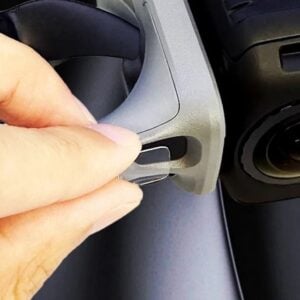
DJI has also taken durability into account. The lenses are user-replaceable via a dedicated kit, making it possible to deal with scratches yourself without going through after-sales service. A real plus for a drone that will inevitably be exposed.
Finally, in terms of connectivity, you get the essentials: a USB-C port for charging and file transfer, along with a microSD slot for expanding storage. The drone also includes 42 GB of internal memory, already enough to start filming without a memory card. However, with 8K videos being particularly storage-hungry, adding a microSD card is strongly recommended for long-term use.
DJI Avata 360: Transmission and controllers
| Compatible controllers | DJI RC 2 DJI RC-N2 / DJI RC-N3 DJI RC Motion 3 DJI FPV Remote Controller 3 |
| Video transmission system | DJI O4+ |
| Max transmission distance | FCC: 20 km CE: 10 km |
| Live view quality | Single lens: 1080p up to 100 fps 360°: 1080p up to 60 fps |
Two ways to fly
This is clearly one of the most interesting aspects of the DJI Avata 360. Unlike some 360 drones that force you into immersive-only flying, DJI gives you a choice.
First, the drone can be flown in a traditional way, using a controller like the DJI RC 2 or the DJI RC-N2 / RC-N3. This provides an experience similar to a classic drone, with a screen and controls that are easier to handle. A real advantage, especially when flying solo, as it avoids the constraints of using FPV goggles.
But the Avata 360 can also switch to immersive FPV mode, with the DJI Goggles 3 or Goggles N3, paired with a motion-based controller like the DJI RC Motion 3, or a more traditional FPV remote controller. This offers a much more immersive experience, designed for first-person flying.
And most importantly, this dual approach unlocks very different use cases. For a simple shot, you can just take off, fly in a straight line, and come back. Since the drone records in 360°, everything is already captured: you just need to choose your angles in post-production. No need for goggles or a full FPV setup in this case, which allows you to save time and focus on the essentials.
A reliable O4+ transmission system
On the transmission side, DJI integrates its O4+ system, already seen on its recent models. Unsurprisingly, you get a stable and clean connection, with good interference handling, especially in busy environments.
In practice, this means a range of up to 10 km in CE (20 km in FCC) under ideal conditions, along with a 1080p video feed. The live view can reach up to 100 fps in standard mode and 60 fps in 360° mode, which is more than enough for a smooth experience.
Nothing groundbreaking on paper, but a reliable and well-mastered system that performs well even in more challenging conditions.
Discover our accessories for
DJI Avata 360
DJI Avata 360: Flight performance
| Max speed | 6 m/s (Cine mode) 16 m/s (Normal mode) 18 m/s (Sport mode) |
| Max ascent speed | 2 m/s (Cine mode) 6 m/s (Normal mode) 10 m/s (Sport mode) |
| Max descent speed | 1.5 m/s (Cine mode) 6 m/s (Normal mode) 10 m/s (Sport mode) |
| Max wind resistance | 10.7 m/s (level 5) |
No surprises here: the DJI Avata 360 stays true to what DJI usually delivers. This is a stable, well-balanced and easy-to-fly drone, even for beginners.
You get the brand’s three classic flight modes. Cine mode for smooth movements, Normal mode for a good balance, and Sport mode for more responsiveness. In the latter, the drone can reach up to 18 m/s (around 65 km/h), which is more than enough for dynamic shots without becoming hard to control.
The wind resistance rated at 10.7 m/s (level 5) is also in line with expectations. In practical terms, this allows you to fly in most conditions without worrying too much, although wind should always be taken into account.
Overall, feedback is quite consistent: the drone is reliable and enjoyable to fly, with predictable behavior. Nothing groundbreaking, but a solid foundation, in line with DJI’s usual standards.
One point comes up regularly, however: noise. Several reviews mention a fairly loud drone, with a high-pitched sound that is quickly noticeable in flight. Not surprising for this type of design, but definitely something to keep in mind, especially in quiet environments.
DJI Avata 360: Battery life and charging
| Battery | 2700 mAh |
| Battery life | 23 minutes |
| Charging time | Direct charging (65W): 73 min (1 battery) Charging hub (100W): 47 min (1 battery) / 100 min (3 batteries) |
The batteries slide directly into the rear of the drone and include the usual four-LED indicator, which makes it easy to quickly check the charge level before takeoff.
In terms of battery life, the DJI Avata 360 is rated for up to 23 minutes of flight time on paper. In real-world use, based on independent tests and user feedback, it’s closer to 15 to 18 minutes. Nothing surprising here: as always, it depends on flight style, weather conditions, and the selected mode.
Overall, this remains a decent battery life for this type of drone, especially considering the 360° capture system, but nothing groundbreaking.
When it comes to charging, DJI offers two options. With direct charging via the drone (65W), a full charge takes around 73 minutes. Using the charging hub (100W), it drops to 47 minutes for a single battery, and about 100 minutes to charge three batteries.
DJI Avata 360: Features
| Photo modes | Single shot |
| Video modes | QuickShots, ActiveTrack 360°, Spotlight Free |
| Obstacle detection | Omnidirectional optical system, combined with a forward-facing LiDAR + infrared sensor underneath the drone |
Two ways to shoot: single lens or 360°, two very different approaches
The DJI Avata 360 actually offers two ways of filming, with very different approaches depending on the desired result.
The first is the single-lens mode. Here, the drone behaves more like a traditional camera, with a single point of view. The result is similar to what you’d expect from a standard drone, although the field of view remains very wide by default, making the image more immersive but also slightly different from stabilized drones like the Mini or Mavic. This mode does have some limitations: no subject tracking, no omnidirectional obstacle detection, and less complete stabilization — especially on the roll axis, which can result in a slightly tilted image during turns.
But it’s really the 360° mode that changes everything. Here, the drone captures everything around it, in every direction. In practice, this means you no longer need to worry about camera orientation during flight. You can simply focus on the trajectory — moving forward, turning, navigating an environment — and everything else will be recorded.
This is where the real difference lies: the work no longer happens only during filming, but mainly in post-production. From a single clip, you can choose any angle, switch from a front-facing shot to a rear view, reframe from the side, or even zoom into the image. In practice, a single sequence can generate a wide variety of shots.
This workflow obviously requires more work afterward, but it offers massive creative freedom, hard to match with a traditional drone.
Smart features, but focused on 360°
On the photo side, the DJI Avata 360 looks fairly simple at first glance. It only offers a single shooting mode, with no burst or advanced options. But in reality, the logic is different: since the drone captures in 360°, each photo is actually a complete image of the environment, with a resolution of up to 120 megapixels. In other words, even a simple photo allows you to reframe freely afterward and create multiple viewpoints — similar to a panorama, but far more flexible.
For video, you’ll find QuickShots, a well-known DJI feature that automatically performs predefined camera movements.
But the most interesting features are clearly tied to the 360° mode. The drone includes ActiveTrack 360° subject tracking, capable of keeping a target framed throughout the flight. DJI also offers several profiles tailored to specific situations (standard mode, cycling, or skiing), allowing the tracking behavior to adapt to the activity. Here, the benefit is twofold: the drone handles tracking, while framing can still be adjusted freely in post-production.
Following the same idea, there’s also the Spotlight Free mode, which locks onto a subject while still giving you manual control of the drone. Combined with 360° capture, this makes it possible to create dynamic shots while retaining full freedom to reframe afterward.
It’s worth noting that these advanced features are only available in 360° mode. In single-lens mode, the drone becomes much more limited, with fewer assist features and no subject tracking.
FPV features and ease of use
Beyond shooting modes, the DJI Avata 360 also includes several features directly related to its FPV use.
Notably, there’s a simplified Acro mode, accessible via the DJI RC Motion 3, which allows you to perform tricks like flips or drifts easily, even without much experience. A great way to get into FPV flying without a steep learning curve.
Another interesting feature is Head Tracking. In FPV mode, you can control the camera direction simply by moving your head using DJI Goggles. This enhances immersion and makes framing more intuitive, without needing to touch the controls.
Finally, DJI still offers QuickTransfer, which allows you to quickly transfer files to a smartphone without removing the memory card. A handy feature for retrieving footage quickly, especially in the field.
Omnidirectional obstacle detection… but only in 360°
On paper, the DJI Avata 360 is well equipped. It features an omnidirectional detection system, based on optical sensors, a forward-facing LiDAR, and an infrared sensor underneath the drone.
In practice, vision sensors detect obstacles around the drone, while the LiDAR enhances front detection, especially in low-light conditions or when facing surfaces that are harder to detect for traditional sensors, such as glass. This type of sensor is becoming increasingly common in DJI’s latest drones, complementing traditional vision systems effectively.
In reality, the system is a bit more nuanced. Contrary to what you might expect, the drone does not have dedicated rear sensors. Instead, it relies on the cameras used for 360° capture, oriented upward and downward, to cover that area.
In 360° mode, these cameras are fully utilized, providing true omnidirectional detection. However, in single-lens mode, they are not used in the same way. As a result, detection becomes much more limited, mainly focused toward the front. Something to keep in mind depending on how you use the drone.
Apps and post-production
As often with DJI, the Avata 360 relies on two main apps: DJI Fly on mobile, and DJI Studio on desktop.
The DJI Fly app goes beyond basic settings. It already allows you to reframe 360° footage, select viewing angles, place keyframes, adjust stabilization, and tweak color settings. Enough to create a first edit directly from a smartphone, without necessarily needing a computer.
However, to fully unlock the drone’s potential, DJI Studio remains the most advanced tool. The software allows deeper 360° video reframing, with precise control over camera movements and composition.
One of the most powerful features is the ability to track a subject in post-production. Even if no tracking was used during the flight, you can select a subject afterward, and the software will keep it framed throughout the sequence. A particularly strong feature that further enhances the flexibility of 360° capture.
In practice, shooting is relatively simple… but a large part of the work happens afterward, during editing.
OUR BEST SELLERS - DJI Avata 360
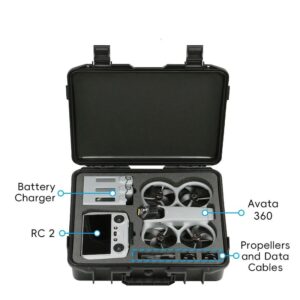
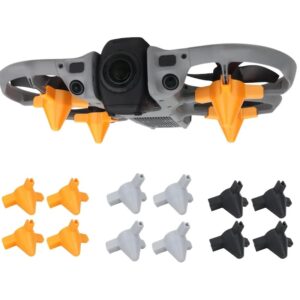
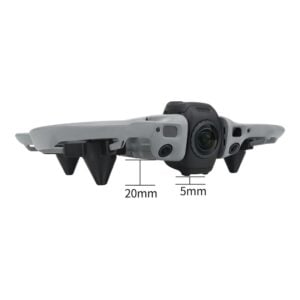
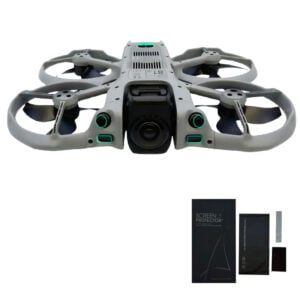
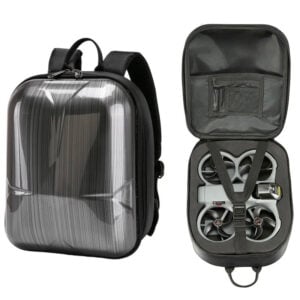
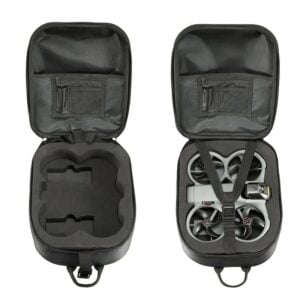
Avata 360
DJI Avata 360: Image quality
| Gimbal | Single-axis mechanical gimbal (tilt) 360° virtual gimbal |
| Sensor | Two 1/1.1-inch square CMOS sensors |
| Lens | Equivalent focal length 7.8 mm Aperture f/1.9 FOV 200° |
| Photo resolution | 30 or 120 MP |
| Max video resolution | 360° mode: 8K up to 60 fps 6K up to 60 fps Single-lens mode: 4K up to 60 fps 2.7K up to 120 fps |
| ISO range | 100 to 12800 |
| Max bitrate | 180 Mb/s |
| Photo format | JPEG DNG (RAW) |
| Video format | OSV/MP4 (H.265) |
| Color profile | Normal D-Log M |
Gimbal, sensors and resolution
The DJI Avata 360 relies on a single-axis mechanical gimbal (tilt), combined with electronic stabilization and, most importantly, 360° capture. In this context, the absence of a traditional 3-axis gimbal is not really an issue: the drone records in every direction, and framing is handled later in post-production.
On the hardware side, it features two 1/1.1-inch square CMOS sensors, each paired with an ultra-wide-angle lens (7.8 mm equivalent, f/1.9 aperture, 200° field of view). Together, they cover a full sphere to produce a 360° image.
For photography, the drone offers 30 or 120 megapixel images, with support for JPEG and DNG (RAW) formats. In practice, each shot captures an entire scene, which can then be freely reframed.
In video, the Avata 360 can shoot up to 8K at 60 fps in 360° mode, or 4K at 60 fps in single-lens mode (with 2.7K up to 120 fps). There’s no dedicated slow-motion mode beyond that, but these frame rates still allow for a clean 2x slow motion, both in 360° and single-lens modes.
Image quality
Overall, image quality is considered very good for a 360° drone, with detailed rendering and well-balanced colors. Several reviews highlight good dynamic range, with high-contrast scenes handled properly, even in backlit situations.
However, it’s important to keep in mind that the rendering differs from that of a traditional stabilized drone like the Mini or Air series. Images are very sharp at close range, but can lose some detail on more distant elements. A fairly typical trade-off for this type of capture.
The Avata 360 supports 10-bit video as well as the D-Log M color profile, allowing for greater flexibility in post-production and more refined final results. On the photo side, the presence of RAW (DNG) follows the same logic, offering more latitude for image processing.
DJI Avata 360: Packs and pricing
ℹ️ Note: some links in this section are Amazon affiliate links. As Amazon Associates, we earn from qualifying purchases, at no extra cost to you.
| Drone only | €459 | |
| Standard combo (DJI RC 2) | €719 |
|
| Fly More combo (DJI RC 2) | €939 |
|
| Motion Fly More combo | €939 |
|
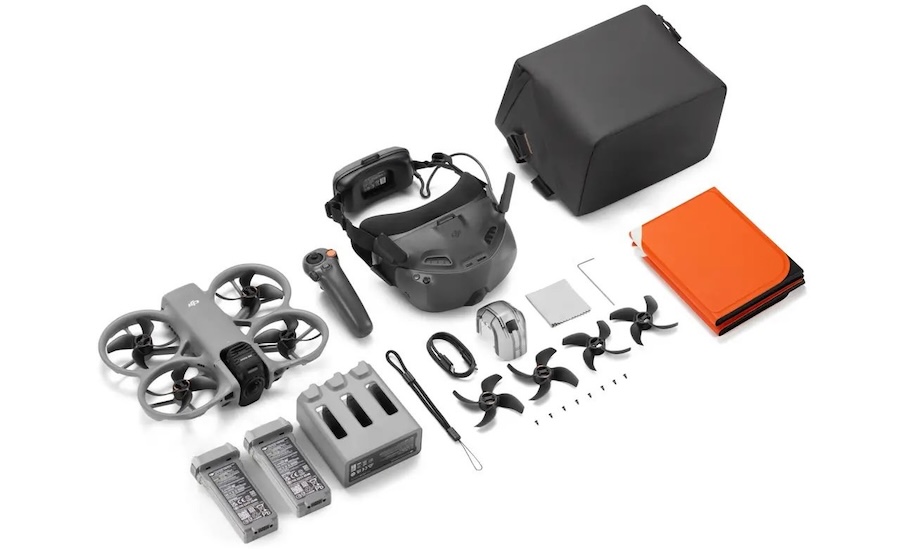
The DJI Avata 360 is available in several configurations, with a simple approach: a standalone drone for already equipped users, and more complete bundles depending on your needs.
- Drone only (€459): includes just the drone with one battery. Compatible with DJI RC 2, RC-N2 / RC-N3 controllers, as well as FPV gear (RC Motion 3, Goggles N3 / Goggles 3). Ideal if you already own compatible equipment.
- DJI RC 2 combo (€719): drone + controller with built-in screen + basic accessories (propellers, protection, cables…). DJI also includes a landing pad, which is useful in the field.
- Fly More combo (€939): drone + DJI RC 2 + 3 batteries, charging hub and carrying bag. Designed for longer flying sessions.
- Motion Fly More combo (€939): drone + RC Motion 3 + Goggles N3 + 3 batteries + charging hub + bag. The dedicated FPV bundle.
Note that no bundle includes replacement lenses. These are sold separately: €21 per lens or €25 with the full kit, although replacement is relatively easy.
DJI Avata 360 conclusion: a drone unlike the others
With the Avata 360, DJI introduces a rather unique drone, not designed to replace traditional models, but to open up new possibilities. While it doesn’t focus on pure image quality or classic versatility, it still offers real flexibility, with two control methods (standard or FPV) and two capture modes (single lens or 360°).
In practice, this results in a drone that is easy to handle, reliable in flight, and capable of producing very clean footage for this type of format. But its real strength lies elsewhere: 360° capture, which allows you to film without worrying about framing, and decide on the angle later in post-production.
On the downside, it won’t suit every use case. The rendering differs from a traditional drone, some features depend on the selected mode, and editing becomes a key step to fully unlock the drone’s potential.
However, for those looking to film differently, with a more creative and flexible approach, the Avata 360 offers something genuinely different.
Who is the DJI Avata 360 for?
The DJI Avata 360 is not aimed at everyone. It’s not necessarily the ideal drone for someone looking for ready-to-use footage without any editing. Like with a 360 camera, most of the work happens after shooting.
On the other hand, it makes perfect sense for content creators, videographers, or enthusiasts who want to multiply angles and possibilities from a single flight. The 360° capture allows you to extract a wide variety of shots, with a level of framing freedom that’s hard to achieve with a traditional drone.
It’s also a great choice for solo creators who want to simplify shooting, without constantly managing camera orientation.
Conversely, for a more traditional use — or if image quality is the main priority — a classic drone like a Mini or Mavic will remain more suitable, with a more precise and controlled rendering overall.
💡 Also read
➡️ Interested in FPV 360 drones? Take a look at our analysis of the Antigravity A1, the direct competitor to the DJI Avata 360.

 Blog
Blog